Free Tools to See If Your Business Listing Is Hurting You
Your business listing is often the first impression customers have. It's usually on Google, Yelp, or other directories. Is it helping or hurting your business? Many small business owners don't know. They might think it's set and forget. But a bad listing can cost you.
Think about it. Someone searches for your service in Atlanta. They see a listing with wrong hours. Or maybe it has old photos. Or worse, no reviews. They might click away. They'll go to a competitor instead. That's a lost customer. And it's a problem you can fix.
The good news? You don't need to be a tech wizard. There are free tools. They help you check your online presence. They show you what customers see. And they highlight where you can improve.
Google Business Profile Insights
This is your most important tool. It's for your Google Business Profile (GBP). It used to be called Google My Business. It's free to set up and manage. Your GBP listing appears in Google Search and Maps. It's crucial for local SEO.
Log in to your Google Business Profile account. Look for the 'Insights' section. This is gold. It tells you how people find you. Are they searching for your business name? Or are they searching for a category, like 'plumber Atlanta'? This tells you if your keywords are working.
Insights also show you actions customers take. Did they call your business? Did they visit your website? Did they ask for directions? These numbers tell you if your listing is driving action. Low numbers here mean your listing isn't compelling.
Check your photos in Insights too. How many views do your photos get? Are people looking at them? If not, maybe your photos need updating. Or maybe you need more photos.
What to look for:
- Search queries: What terms are people using to find you?
- Customer actions: Calls, website clicks, direction requests.
- Photo views: Are your images attracting attention?
- Direct vs. Discovery searches: Are people searching your name or your service?
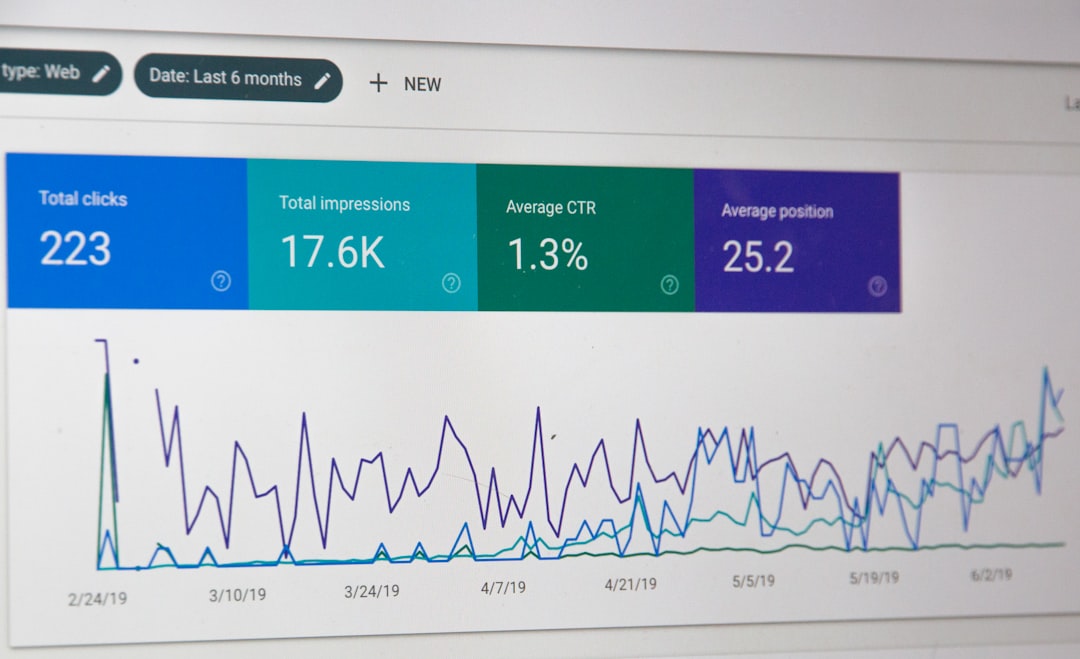
Google Search Console
This tool is for your website. It helps you understand how Google sees your site. It's also free from Google.
Connect your website to Google Search Console. It shows you search queries. People use these to find your website. It tells you which pages are performing best. It also alerts you to any technical issues. These issues can hurt your ranking.
For local businesses, it's vital. It shows you if your website is mobile-friendly. Most local searches happen on phones. If your site isn't good on mobile, you're losing customers.
What to look for:
- Performance report: See search terms and clicks to your website.
- Mobile usability: Is your site easy to use on a phone?
- Crawl errors: Are there broken links or pages Google can't find?
Review Site Scanners
Sites like Yelp, Facebook, and industry-specific directories are important. Customers check reviews there. Your reputation matters.
While there isn't one single 'scanner' for all review sites, you can manually check. Visit your profiles on major platforms. Look at your average rating. Are there recent reviews? Are you responding to them?
Many customers read reviews before visiting. Bad or no reviews can be a dealbreaker. A consistent stream of positive reviews builds trust.
Some SEO tools offer review monitoring. Many have free trial periods. You can use these to get a snapshot. Or you can simply set aside time each week to check.
What to look for:
- Average star rating: Is it good?
- Number of reviews: Do you have enough?
- Recency of reviews: Are they recent?
- Response rate: Are you engaging with customers?
Competitor Analysis (Manual)
You can learn a lot by looking at competitors. Find businesses similar to yours in Atlanta. Search for their services.
See their Google Business Profile. How complete is it? What photos do they use? How many reviews do they have? What do their reviews say?
Visit their websites. How do they look? Are they easy to navigate? Are they mobile-friendly?
This isn't about copying. It's about understanding the landscape. It helps you see what's working for others. It shows you where you can stand out.
What to look for:
- Completeness of their listings.
- Quality and quantity of their photos.
- Number and sentiment of their reviews.
- Website design and mobile experience.
Why This Matters for Your Atlanta Business
Your online listing is your digital storefront. If it's messy, outdated, or incomplete, it's like having a boarded-up window. People will walk right past.
These free tools help you see the real picture. They show you where your listing might be failing. They point out missed opportunities. Fixing these issues is simple. It often involves updating information. It might mean adding better photos. Or responding to reviews.
Investing a little time in your online presence pays off. It helps you get found by more local customers. It builds trust. And it ultimately drives more business to your door.
Don't let a poor listing hurt your bottom line. Take a look today. Use these free tools to see where you stand.
Ready to put your best foot forward online? Claim your free business listing.
Need funding for your Metro Atlanta business?
$50K–$250K. No tax returns required. Self-employed friendly.
Get Funded